
What an Apple Wallet loyalty card actually is
Apple Wallet is the app pre-installed on every iPhone that holds a user's payment cards, boarding passes, event tickets and — the part that matters here — loyalty cards. A loyalty card in Apple Wallet is a digital "pass" (technically a PKPass file) carrying your branding, the customer's balance or stamps, and a scannable barcode. It isn't a photo or a screenshot; it's a live object that can update itself, show on the lock screen at the right moment, and send notifications. For a customer, it looks and behaves like the airline boarding passes and bank cards already in their Wallet — familiar, trusted, and always to hand.
Crucially, it requires no app of yours. The customer doesn't visit the App Store or create an account; they add your card to a Wallet they already use every day. That single fact is why wallet loyalty has quietly replaced the loyalty app for most small and mid-sized businesses.
Why Apple Wallet fits Saudi Arabia especially well
Two local realities make Apple Wallet loyalty unusually effective in the Kingdom. First, iPhone ownership is high, particularly among the higher-spending urban customers most businesses want to retain — so a large share of your customers already carry Apple Wallet. Second, and more importantly, Saudi Arabia is one of the most advanced contactless-payment markets in the world: paying by phone at the till is the norm, not the exception. That means your customer's Wallet is already open, in-hand, at the exact moment of the transaction where a loyalty card needs to be presented. The behavioural friction that sinks loyalty programs elsewhere — "where's my card?" — barely exists here, because the Wallet is already the thing they're paying with.
How the pass works, briefly
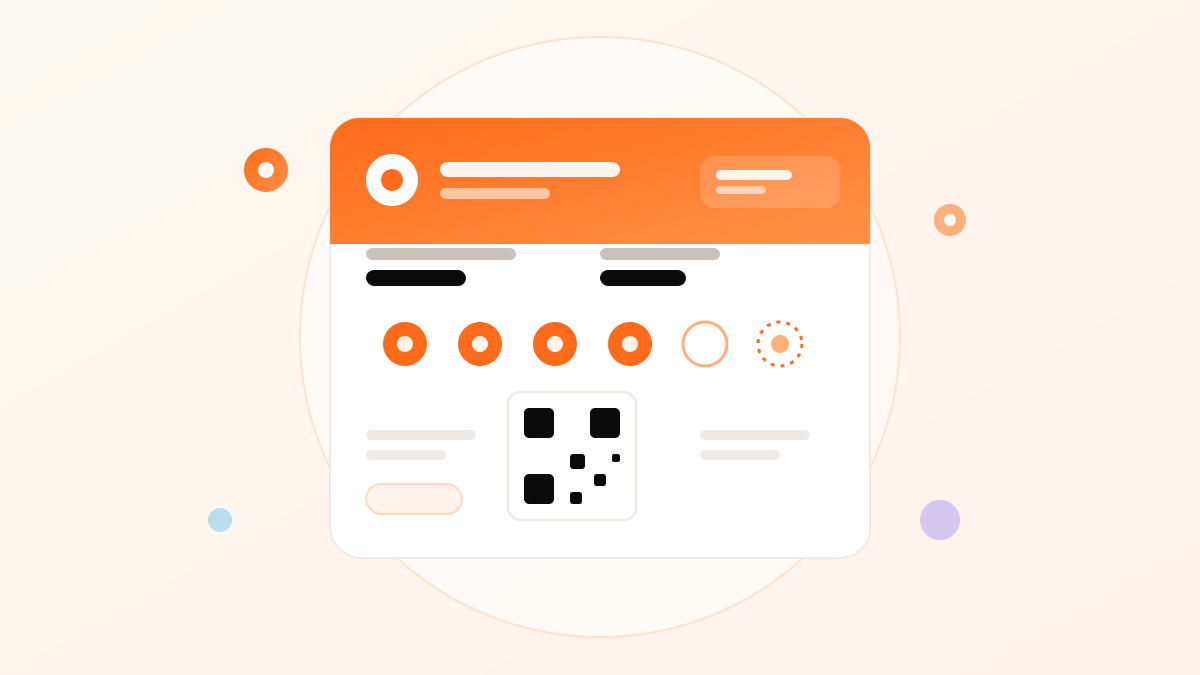
A loyalty pass has a front (your logo and colours, the customer's stamps or points, a barcode) and a back (your hours, branches, terms, links). Staff scan the barcode to add a stamp or points, exactly as they would a paper card — except the update is instant and synced. Because the pass is a live object tied to your system, its balance changes the moment it's scanned, across every branch, and the customer sees the new total immediately. There's no app to open and no manual tracking; the pass simply reflects the current state whenever the customer glances at it.
Enrolment without an app — the killer advantage
The moment that makes or breaks any loyalty program is joining, and Apple Wallet reduces it to almost nothing. The customer scans a QR code (on a counter stand, a receipt, a table card), taps "Add to Apple Wallet," and the card is in their phone — no download, no account, no form, often under ten seconds. Compare that to a loyalty app, which asks the customer to visit the App Store, wait for a download, create an account and grant permissions before they've earned a single point. Most people simply won't; the app dies at the first step. Apple Wallet's frictionless enrolment is the single biggest reason wallet programs achieve sign-up rates an app can't approach.
Under ten seconds, zero downloads. Scan, tap, done — while the customer is already standing at your counter with their phone out to pay. Enrolment friction is where loyalty programs die, and the wallet card removes almost all of it.
Lock-screen relevance — being there at the right moment
Apple Wallet passes can surface on the iPhone lock screen at relevant moments — and this quiet feature is a genuine marketing channel. When configured, a customer near your location can see your card appear on their lock screen, a gentle prompt exactly when they could act on it. Combined with the barcode being one tap away, this means your loyalty card isn't buried in an app the customer forgets to open; it presents itself at the moments that matter. No paper card and no un-opened app can do this — presence at the right time is unique to the wallet pass.
Updates and notifications
Because a pass is a live object, you can push updates to it — and a notification to accompany them. When a customer is one stamp from a reward, when their points reach a milestone, when there's a genuinely relevant offer, a message can appear on their lock screen, delivered through the pass itself with no separate app required. Used with restraint, this is the most valuable capability the wallet card adds over paper: a direct, respectful line to the customer at the moments that drive a return visit. The discipline is the same as any channel — a few well-timed, genuinely useful messages, never a constant drip.
Wallet card vs a loyalty app
| Apple Wallet card | Loyalty app | |
|---|---|---|
| Customer effort to join | Scan + tap, ~10 sec | App Store, download, account |
| Takes storage / updates | No — it's a pass | Yes — an app to maintain |
| Lock-screen presence | Yes | Only via push, if not deleted |
| Build & maintenance cost | Low — a subscription | High — development |
| Sign-up rate | High | Low — most abandon at download |
For all but the largest brands, the wallet card wins decisively — it captures the customers an app loses at the download step, at a fraction of the cost. The full cross-wallet comparison, including Google Wallet and plastic, is in the digital loyalty cards guide.
How to create an Apple Wallet loyalty card
You don't build the PKPass mechanics yourself — a loyalty platform does that. In practice: choose your card type (stamps or points), add your logo and colours, set the reward, and the platform generates the wallet pass and a QR code to enrol customers. Staff scan to award stamps or points; the platform handles updates, syncing and notifications. With Niqati this is an afternoon's setup, works for both Apple Wallet and Google Wallet from one card, and needs no app from you or your customers. Which program to run on top of it — stamps or points, the reward math — is covered by industry in the Niqati blog, and in the complete loyalty guide.
Frequently asked questions
Do customers need an app to use an Apple Wallet loyalty card?
No — that's the whole point. The card is added to Apple Wallet, which is pre-installed on every iPhone, with a single QR scan and a tap. There's no App Store visit, no download and no account to create, so enrolment takes seconds and sign-up rates are far higher than a loyalty app's.
How does a customer add my loyalty card to Apple Wallet?
They scan a QR code — on a counter stand, receipt or table card — and tap 'Add to Apple Wallet.' The card appears in their Wallet immediately, alongside their bank cards and boarding passes. The whole process is usually under ten seconds while they're already at your counter.
Can an Apple Wallet card send notifications?
Yes. Because the pass is a live object, you can push updates and lock-screen notifications through it — 'one stamp from a free coffee,' a reward ready, a relevant offer — with no separate app. Used sparingly and with good timing, it's the most valuable capability the wallet card adds over a paper card.
Does an Apple Wallet card work across my branches?
Yes. The pass is tied to your system, so a scan at any branch updates the balance instantly and the customer keeps one card everywhere. You also see per-branch activity, which a paper punch card never gave you.
Is Apple Wallet enough, or do I need Google Wallet too?
You need both — your customers are split between iPhone and Android. A good loyalty platform issues one card that works in both Apple Wallet and Google Wallet, so you never exclude half your customers. See the Google Wallet guide for the Android side.
Reviewed by the Niqati Team on 16 July 2026. Apple Wallet and PKPass are Apple technologies; this guide explains how loyalty cards use them and is not affiliated with Apple.