Niqati logoNiqati · نقاطي
Features Menu Pricing Download
العربية Get started
العربية
Features Menu Pricing Download Contact
Get started
Your restaurant menu starts here

Download Niqati.
Create your QR menu.

Build and manage your restaurant or café menu from the Niqati app on your phone. Guests scan your QR code and browse in their browser, without an app or account.

The app is for you, the business owner

Create your menu, edit items and prices, and publish updates from the Niqati app.

Your guests do not need an app

They scan your menu QR and browse in their browser. No download or account needed.

Download on theApp Store GET IT ONGoogle Play
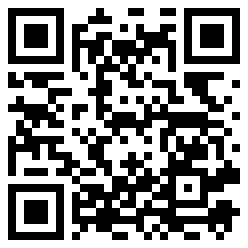
QR code for the business-owner Niqati app download
Scan with your phone to download NiqatiThis downloads the app for you. You create a separate menu QR for your guests inside the app.

Start free — no credit card needed
1 menu · 15 items · 3 categories · 2 QR codes

Once you have the app

1

Create your business account

Open Niqati and sign up to manage your restaurant or café.

2

Build your menu

Add items and prices, then choose a layout and your business logo.

3

Publish and share

Publish your menu, then download and print your QR code for guests to scan.

The free menu is Arabic-only. Pro unlocks English, all five layouts and higher limits.

Compare menu plansBack to menu features
Niqati logoNiqati · نقاطي

The Saudi loyalty platform for businesses that want regulars, not one‑time visitors. Apple Wallet and Google Wallet, built right.

📞 +966 59 7575 402

Product

FeaturesHow it worksDownloadFAQ

Company

ContactPrivacyTermsDelete account

Languages

Englishالعربية
© 2026 Niqati. Made in Saudi Arabia. [email protected]